 BetterSign™BetterSign™
Product · BetterSign
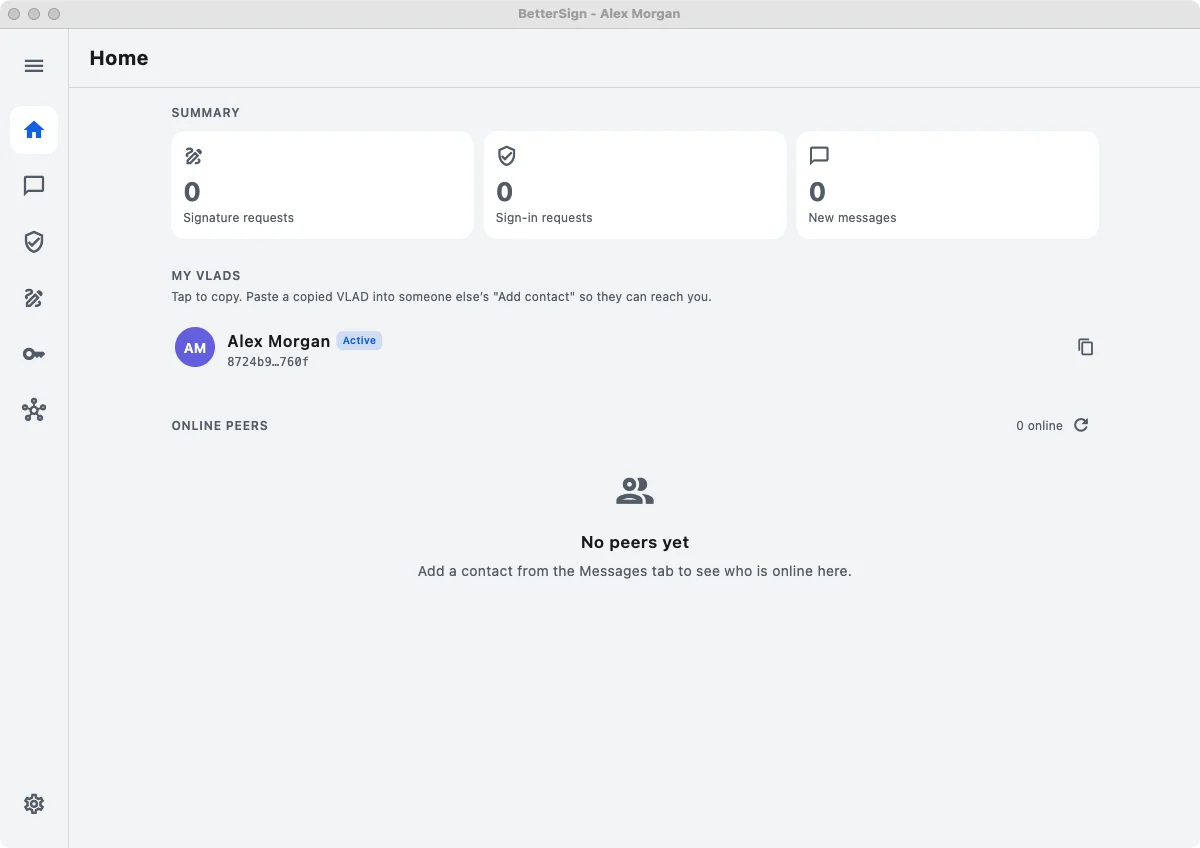
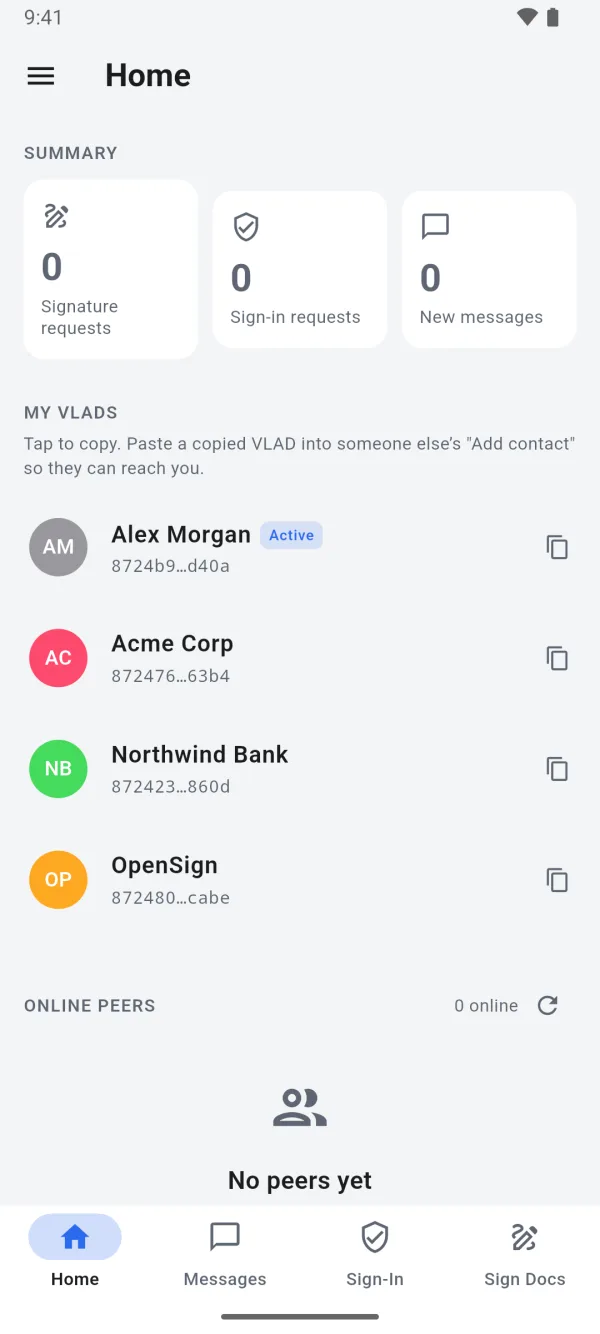
Create your identity once, on your phone. Use it to sign in without a password, to prove who you are, and to talk privately with people you’ve verified. On your computer, the same app gives you the same identity on a bigger screen. Every other BetterSign product runs on it.
On-device genesis creates Ed25519 signing and recovery keys, an X25519 encryption key, and a VLAD. On phones, keys are wrapped by the Secure Enclave or StrongBox. The identity is published to and resolved over a libp2p DHT; the desktop app embeds a full bs-peer node.
A stable name on the outside, freely changeable keys on the inside.
The BetterSign app is on the App Store for iPhone and iPad and on Google Play for Android, with desktop apps for macOS, Windows and Linux. Get it here; no sign-up needed. Phones keep your keys in secure hardware; the desktop app stores them in software for now.
How sign-in works
When a site supports BetterSign, there’s no password field. The site asks your phone, you approve, and you’re in. The site never stores a secret that could leak, and a fake page has nothing to grab.
The relying party issues a fresh challenge. Your phone signs it with the current key for that site’s identity. The verifier resolves your VLAD to the provenance-log head and checks the signature. There’s no shared secret, no password database, and nothing replayable on the wire.
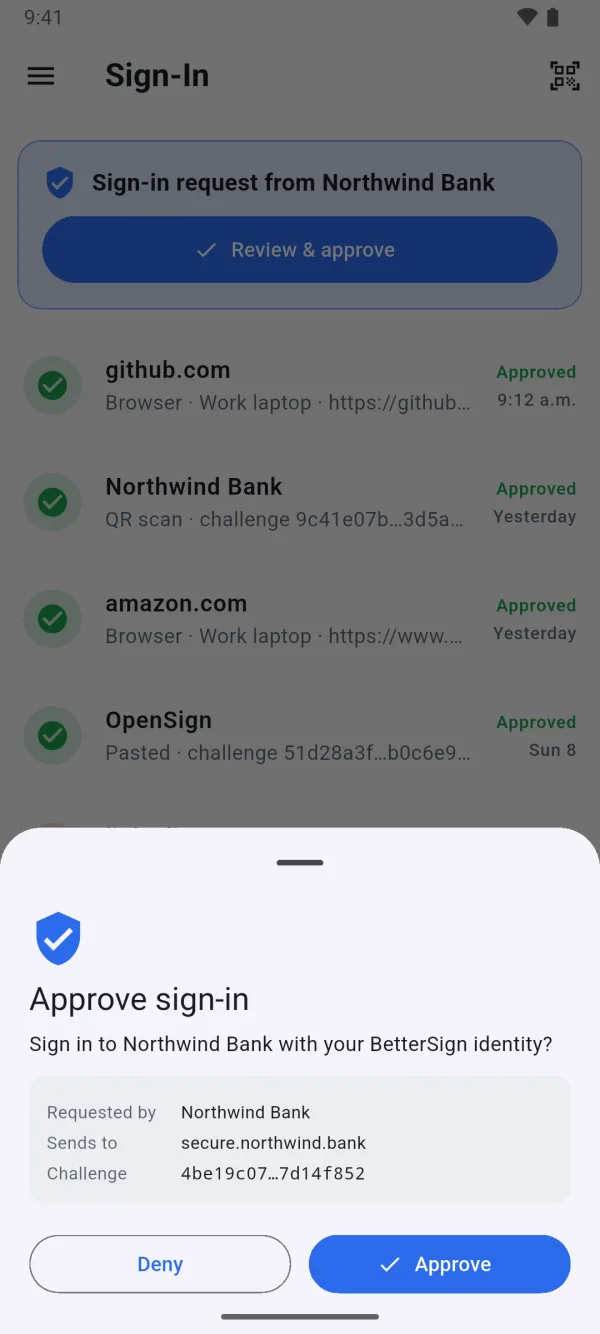
A site shows a sign-in request, by push notification or a QR code.
Your phone shows who’s asking. You approve with your face, fingerprint, or PIN.
Your phone signs that one request. The secret key never leaves your device.
The site checks the signature against your public identity, and you’re in. No account database is needed.
Phone and desktop
The same app and the same identity on every device. What each one is best at differs a little.
Holds your keys in its secure chip. It approves sign-ins and credential fills with your face, fingerprint, or PIN, and fills logins through AutoFill.
Keys wrapped by the Secure Enclave or StrongBox; the app is the passkey provider and the credential-vault holder. A light libp2p client over QUIC.
The same identity on a bigger screen, on macOS, Windows and Linux. It signs PDFs, and it connects straight to the BetterSign network and makes it stronger for everyone.
Embeds upstream bs-peer as a full DHT member. Keys use software storage today; hardware-backed storage on desktop is planned.
Your own identity, plus one for each site and, when an organization you work with adopts BetterSign, one for them. They never mix.
One VLAD per relationship. An employer’s work VLAD is recoverable by its org quorum; your own isn’t.
Add people by their identity, and message them end to end encrypted.
A passphrase-protected backup lets you restore on a new device.
BetterSign Credential Vault keeps the logins you still need on your phone.
On your computer · PDF signing
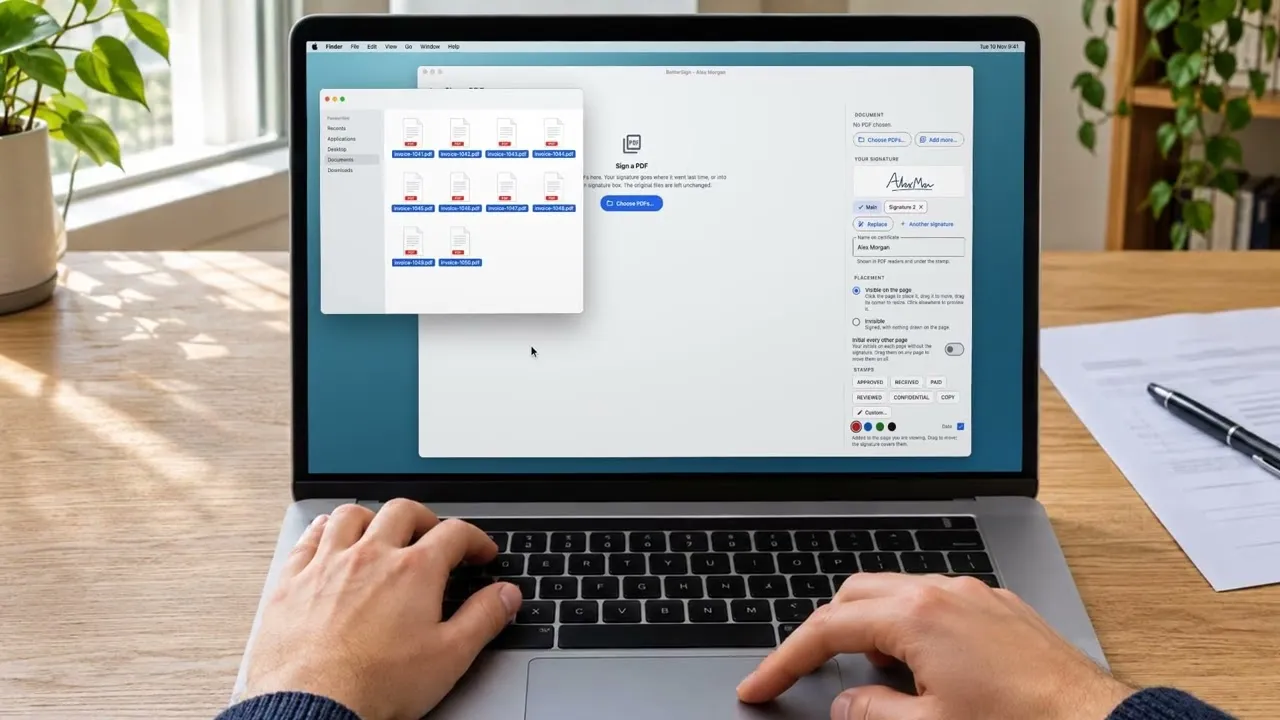
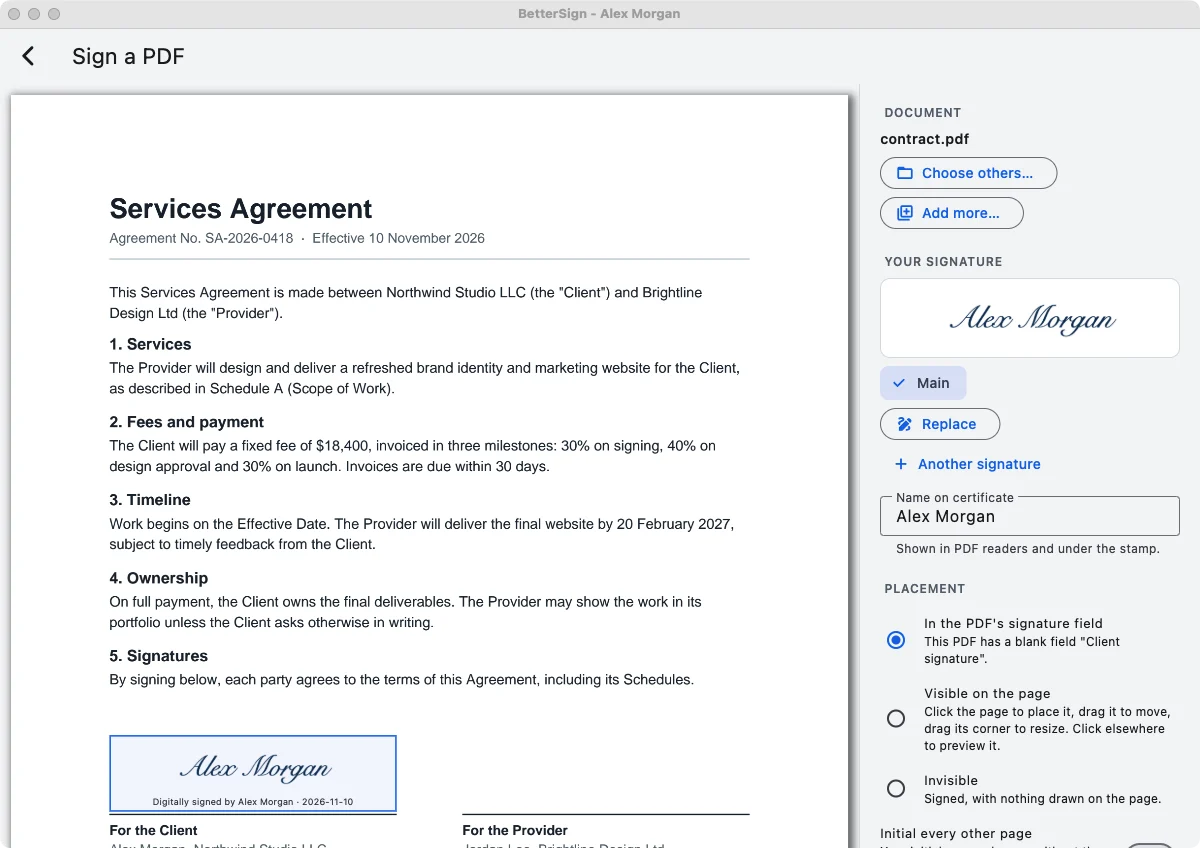
Drop a PDF on the BetterSign window, or open it with BetterSign. Your signature goes into the document’s own signature box, or where you put it last time. Press Sign, and the signed copy is saved next to the original. Nothing is uploaded.
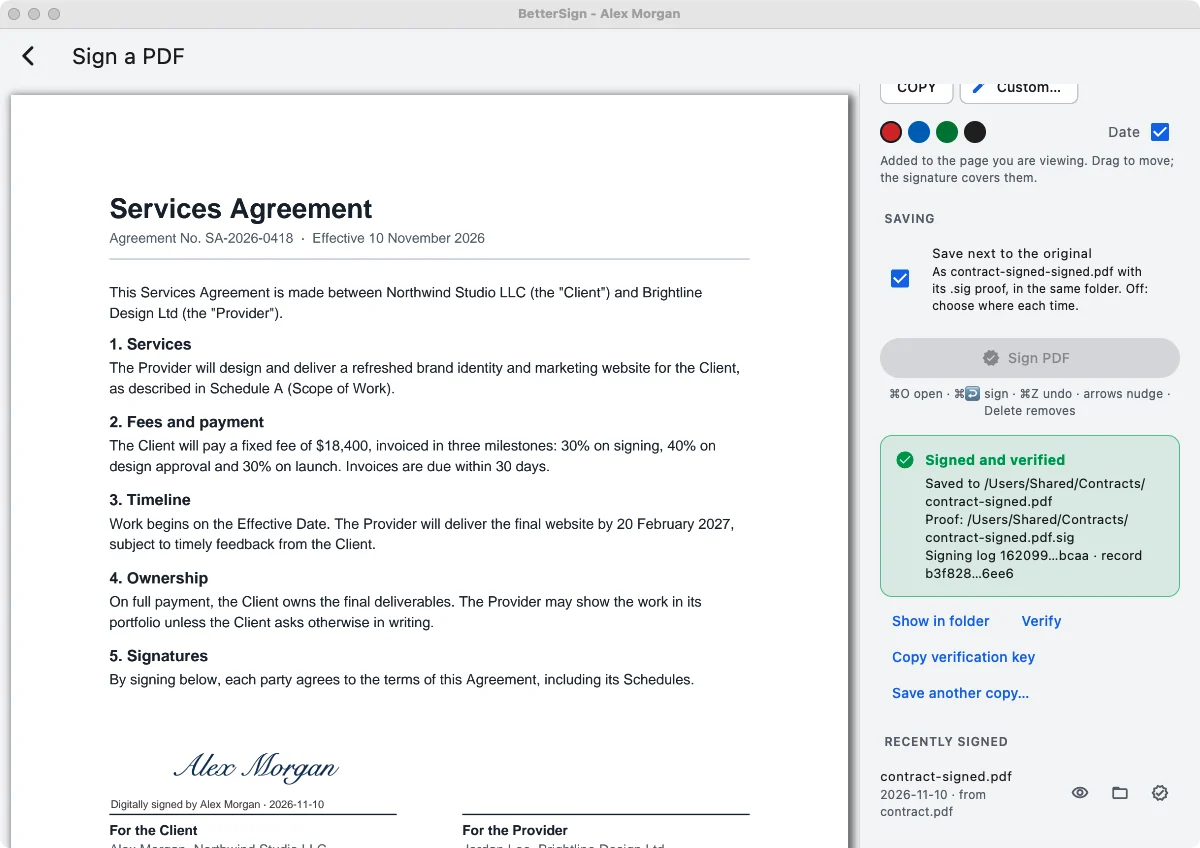
A PAdES signature by your identity, added as a new revision, with a companion .sig beside name-signed.pdf. The stamp is drawn into the PDF’s blank signature field when it has one, or added as locked page marks. Verify checks both files offline.
Drop PDFs on the window, choose several at once, or right-click a PDF and pick Open with BetterSign.
Check where your signature goes. Drag it, or nudge it with the arrow keys. Add your initials to every other page, or a stamp like APPROVED or PAID.
Press Sign. The signed PDF and its .sig are saved next to the original, which stays unchanged. Several PDFs sign together with one confirmation.
Verify checks a signed PDF offline, against your key or a verification key the signer shared.
.sig.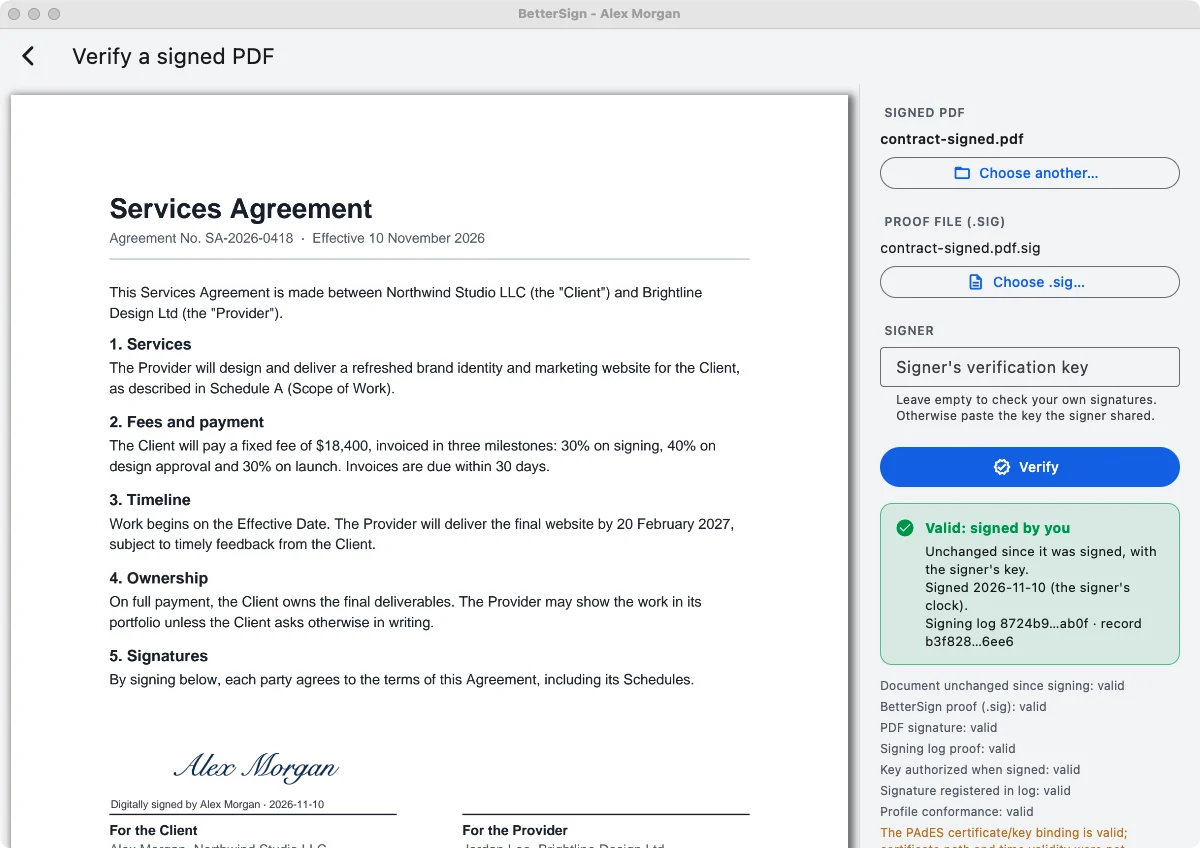
.sig offline.Follow · public profile
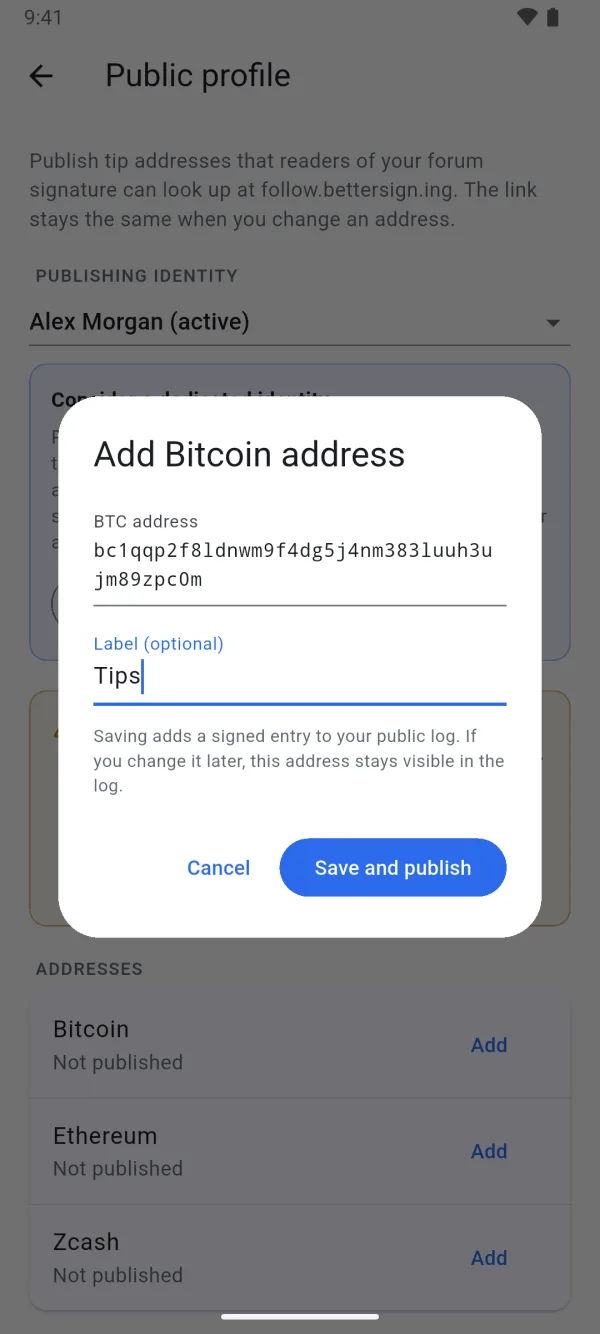
Publish what people need to know about you, and share one link that never goes stale. Put it in your forum signature or bio. When you change a detail, the same link shows the new one and says when it changed, so readers aren’t sent somewhere old. It starts with Bitcoin, Ethereum and Zcash tip addresses.
You write values under /pub/ in your provenance log from the app. follow.bettersign.ing/v/<id> is a relay: our verifier replays the log and reports each current value, when it changed, and when it last verified. The raw signed entries and a JSON view sit beside the page, so readers can check them without trusting us.
In the app, open Public profile and pick which identity publishes. The app suggests a separate one.
Add your addresses. The app checks them, you approve, and they’re signed into your identity.
Copy the ready-made signature (text, BBCode, Markdown or HTML), or share the QR code.
Change an address any time. The link shows the new one, flagged as recently changed.
Questions
Restore from your encrypted, passphrase-protected backup on a new device. The browsers you paired can’t do anything on their own, because they only ever had permission to ask.
No. Your identity belongs to you, not to us or any other provider. Anyone can verify it with math, with no account on their side and no permission from us. A work identity is different: your employer can turn it off, but that never affects your own.
A link to the details you choose to publish, such as tip addresses, that always shows the current ones. You publish them from the app’s Public profile screen, and anyone can open the link without the app. Following identities inside the app, so it checks them for you, is coming later. More about Follow.
No. You approve requests on your phone and BetterSign handles the rest. If you’re curious, flip the toggle at the top to Technical, or read the open-source core.
Free, on your phone and your computer. No sign-up needed.